Contents
Software Index
Living with a uConsole - The first month
An as honest as possible review of the Clockwork uConsole
Written 2026-10-26 3040 words.
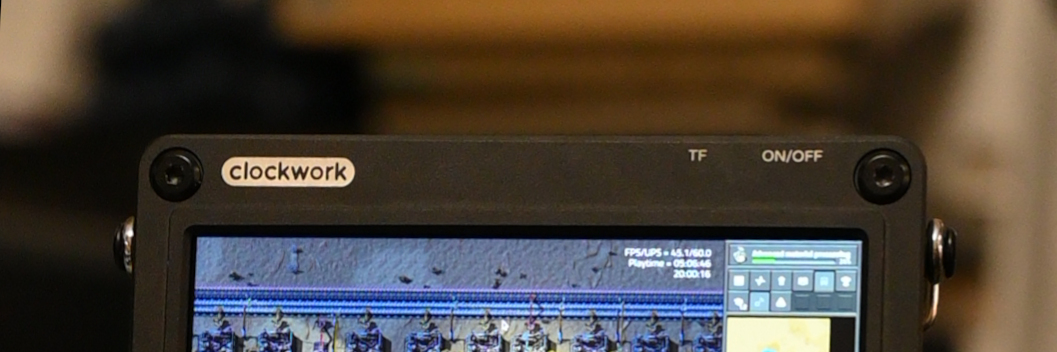
This is part 1.5 of my series on moving on from android. See part 1 here
I got my uConsole in the middle of September, i'm writing this about 6 weeks later, so with some life interruptions I have about a month of hands on time with it.
I will be upfront with my bias: I like this thing. I am actually writing this article on it. I like what its trying to accomplish; so I won't be as critical as maybe I would or should be with other hardware.
Quick Introduction to the uConsole
The uConsole is a handheld computing platform from Clockwork. It is built around the same modular mainboard as their older Devterm. Unlike the Devterm's plastic-y shell and printer gimmick the uConsole is promised as a focused and robust portable computer. It delivers surprisingly well on that promise with a 100% CNC machined aluminum case, bright and sharp 720p LCD and all new orders ship with support for the Raspberry Pi CM4 & 5.
OK thats enough sales pitch. They're not paying me.
DIY Project or Tech Product?
I am daily driving my uConsole, which based on the discussions on the Clockwork forums puts me in the minority of owners. Most people seem to view their uConsoles as "cyber decks", which is a concept that as far as i can tell lands somewhere between "cool futuristic toy" and "fashion accessory for preppers". I am trying to get rid of android, I need something that is practical in the present.
There's three parts to owning a uConsole: the good part, the part you can live with, and the part you really hope you can fix with mods. For me I think these parts come in equal measure. For instance the performance is great, the battery life is good enough, i guess, and the wifi can probably be fixed with a 3D printed part. The screen is great, the keyboard misses keys smetimes, the lack of camera can be fixed if i get this board from a chinese company.... I could go on.
This makes it hard to review the uConsole. If I hold it to the standard of a professionally manufactured laptop or smartphone it will fall short on every metric. I think this is the standard many customers expect, when they see the glossy renders on the store page and the promise of mature open hardware in a sexy alu shell. I see a lot of uConsoles for sale on 2nd hand platforms (and even clockwork's own forum) either still in their box, or in mint condition. often with some of the more popular mod parts, clearly those consoles didn't live up to their owners expectations.
Then again if I review it as a DIY kit, similar to an Arduino, or just as a toy, I think I would miss the whole point of the device. The whole sales pitch of the product is the promise of a truly portable, usable Linux computer. So lets break down how it handles in that role:
An Example Day of living with a uConsole.
09:00 Gnome Clocks wakes you up, you're relieved: it worked this time. You struggle through typing in your 20 character password as the device beeps at you. There's no way to dismiss the alarm from the lock screen. You cancel the 9:05 alarm on your now obsolete smartphone.
You head to work, on the way you check your mail, Mastodon, and download some podcasts to listen to today. As you do so you click away smugly on the keypad feeling awesome about how easy it is to get stuff done on the go now you have a full desktop OS in your pocket. You put out of your mind that while you do this you're tethering to your smartphone, hidden in your bag, because you haven't figured out how to use the LTE module yet, and the wifi isn't connecting to the station wifi. You promise yourself its fixable, and make a mental note to work on a 3d printed antenna mount, this is the 9th day in a row you've done this.
You get off the train, and see a poster for a movie you want to watch. Normally you'd send your girlfriend a picture, she's a visual person, she likes pictures. But dratz, you haven't ordered the camera mod yet. You look the movie up and send a link to screenings, thats probably more useful anyway.
You're at work now; you've been listening to podcasts all morning on bluetooth while getting some serious tasks done on your work provided laptop. The big clear screen on the uConsole resting on your desk makes it easy to see who's messaging you without having to unlock a phone every 10 minutes. It would be perfect if only the headphones didn't drop out every so often. You really need to fix that antenna.
It's lunchtime. Gnome maps has some restaurant options near the office google never mentioned. the big screen makes following the directions easy, which is good as you had to enter the address of your office manually. The uConsole has GPS, supposedly, but you need o order a GPS antenna but are not sure where its supposed to fit. At lunch your boss calls it ugly, but your colleges, fellow engineers think its really cool you're trying something different. The battery is 53%; you of course have a powr bank on you.
The late afternoon slowly rolls in. You're distracted and texting your friends and enjoying the clicky keyboard. the full desktop browser is great, and you can flick seamlessly between surfing and texting. You can even leave a video playing in the background while you look at other tabs, android can't do that. Well you could for a few hours, the trackball is sticking again, you have to arduously drag it across the screen until it stops moving altogether. You plug a mouse in and wonder if ths is what the Switch 2 feels like to use.
You stop at the hackerspace for an hour after work. You keep being surprised by people asking you about the uConsole on the table, sat with its screen off while you talk to a friend. You've explained to 4 people now that yes it's your smartphone, and no its not able to actually make calls. You consider writing an FAQ you can direct people to because you never wanted this attention. You guess its nice to have a conversation starter?
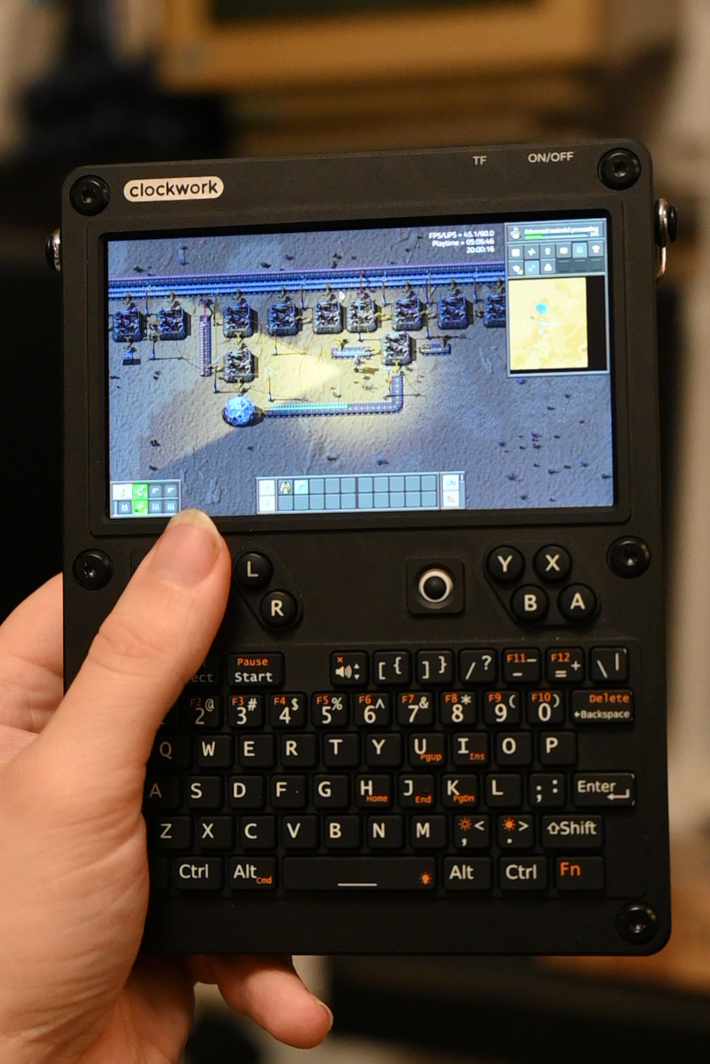
You get home and wash the trackball out; fixed, yes! Well fixed for now. You settle in on the sofa and fire up Factorio on the uConsole while girlfriend puts on a TV show. Its lots of fun and the performance is good. And... its Factorio, unlike a mobile game it doesn't once ask you to unlock a loot crate. Before bed you work a bit on your blog post, you notice the keyboard is still missing keys. You'd hoped this would stop as the membrane wore in. it can be resolved by slowing down a little. You write a little slower. Its still super clicky and satisfying.
Just before bed you run to fetch your phone, its still in your bag. It's battery is 95%. You charged the uConsole twice today. you can live with that. As you walk into the bedroom girlfriend is inspecting your uConsole, you've already had it a month but only started bringing it to bed recently. "Whats a DMI port?" she asks inquisitively. Your confusion breaks into dread... The paint is already rubbing off.
Everything in that story actually happened, but not in one day. The feeling of using the uConsole is that when its working well it reminds me of everything I dreamed a pocket PC of the future could be when I was a teen. Fully featured productivity apps, desktop class gaming with a great screen and keyboard is all I ever wanted. If you showed a modern smartphone to 12 yr old me I would think it was lame. That was actually always true. The first time my dad showed me a a HTC smartphone "with wifi" I literally asked why. I wanted a atom tablet with a slide out keyboard, which was a product that actually existed for a couple of years.
Bugs
The problem is that when it doesn't work, you realize how much we depend on digital technology today, and how hard it is to live when your tech isn't working. There is no customer support hotline for a product like this, the online community is a big help but you have to sink the time in to work the problems and get back to the mode where everything works. Effectively I find myself needing to approach it as a long term project rather than a finished device. I initially was excited about this as it meant the uConsole would grow and change as I worked with it, but that excitement is fading as after only a few weeks some major signs of wear are starting to show on the keyboard printing, and the chassis paint. The holding screw for the kickstand is also wearing, and it calls into question the longevity of this hardware.
It would be dishonest to omit that my trackball has broken completely and I was forced to order a replacement. They cost €8 for two, and seem to be much nicer quality than the original, but if these too only last a month I am gonna have a heavy cost of ownership in the long term. This feels like a point in a very well thought out device where Clockwork either cheaped out, or fell back on their prior work. The trackball mechanism is the same as used in the Devterm, but compromised by the use of a cheaper ball assembly, and a lower mounting position due to the metal front plate. A small trackpad would have been a better option, and again the mod community provides several solutions here.
The software situation is a similar affair, with Clockwork only providing images that are several years out of date. Now all OS images come from one dedicated community member. Power management tweaks come from another. Keyboard firmware updates from a 3rd. You have to patch everything you need into a frankenimage. It took me a week to make my exact hardware configuration boot, my SD card was bigger than what had been tested before.
Debugging can also get painful, with bugs in the power management controller making reboots and crashes into an activity that requires the device's batteries to be removed. Yes you read correctly, you cannot click "reboot" in the GUI without crashing the device so hard it needs to forcibly have its power source removed. A lot of these problems can have their sources traced back to Clockwork reusing the Devterm's motherboard, which is now 5 years old and wasn't deigned to interface with the current generation of compute modules and accessories.
The Software Experience
For me Linux was the biggest selling point of the uConsole. I am running Ubuntu 26 LTS. You don't like ubuntu, then run something else, the choice is yours... if you're willing to build the image. The keyboard is USB and detected automatically, but the screen and power management electronics are not plug and play and require being built into a device tree. While these are pretty universal between distros it does mean you can't reasonably expect to download a generic UEFI Linux ARM image and boot it as you could with UEFI supported ARM laptops. For me ubuntu is good enough for now, so I haven't experimented with custom images, but it's possible.
Desktop Linux in your pocket is exactly as awesome as I hoped it would be and annoying in exactly the ways I imagined. The main advantage is the app ecosystem. Desktop programs from mature open source projects are designed to respect your time and your system resources. I can check my mail using the same program as on my laptop, and not be prompted to buy anything in the process. I can open a website without being prompted to instead install an app (because the user agent string says Firefox Linux, instead of Firefox Android)
My hobby passion is music production: I have installed several professional grade programs (Renoise, REAPER, Vital(ium)) on the uConsole, all work very well (with some minor challenges due to the small screen resolution) and I can make music on the go in a way I haven't been able to before. Equivalents on mobile are often limited or cut down versions of the desktop product, and often prioritize iOS. Mobile gaming is also possible. I mean real gaming, not a wrapper around gacha mechanics with social media integration, which is more often than not how modern mobile games feel. Likewise there are modern games that work on Linux arm, that with some tweaks will run on a Raspberry Pi. I already mentioned Factorio, however Minecraft has been a classic on the Pi for years, and with the steam frame launching, many simpler titles should be runnable via translation, similar to Proton.
The pocket desktop experience feels empowering, and reminds me of what we were promised phones would be back in the early 2000s. The catch is its a desktop experience; fonts and buttons can be small, although these days most applications handle hiDPI scaling well, which can help. Even so I find myself holding the device about 20cm from my face when using it. I'm shortsighted, so I don't find this uncomfortable but YMMV.
The real pain for me is the lack of lock screen integration. The lock screen is a afterthought for most desktop users, but consider how many ways there are to interact with it in Android, and the various APIs there are for an app to customize it. Simple things like dismissing an alarm are not possible from the Gnome lock screen, likewise many apps don't integrate, so I can't skip 30s forward over an ad in my podcast app, nor can I quickly pop open a camera. All of this would be more manageable if I could set a quick unlock pin that I could use to open the device in a hurry but not initially log in or authorize an action with sudo, but this is not a feature offered by gnome so if I want a easier to type in unlock pin I need to compromise my main device password.
However, like many things with the uConsole, I can live with it.
The Hacker Experience
The user experience of the uConsole is basically a laptop with no hinge. Its functionally the opposite of a folding smartphone. Taking the mechanical complexity and the need to slim everything down so its a reasonable folded thickness out of the design has been a huge help to the modularity and hacker experience of this device. I already touched on the strong economy of boutiques selling mod parts for the uConsole, but the device has a lot of free internal space to add your own components, boards, wiring etc. This is achieved without the device feeling excessively bulky. It is reasonable I feel for someone with a hobbyist grasp on electronics to with some research figure out how to customize their uConsole to their own needs.
I do however have to again criticize Clockwork for what should have been an easy win for them. The device is marketed as open source hardware, and this is partially true with schematics and stl files of the case being available online, however their are no design, manufacturing, or BoM files for the PCBs, no CAD files for the case, and the LTE firmware is provided as a proprietary blob (that seems to be its own linux OS). While technically this is open hardware, not being able to fabricate replacement parts for the electronics feels like it is not in the spirit of what open hardware is supposed to mean.
Conclusion
For this review I borrowed and used a Devterm for a bit, and while I may have my biases, I feel the uConsole was a huge step up in ergonomics, durability and feature set. Even so I have the unshakeable feeling that if this was sold by a mainstream brand, this would be the second prototype, not the finished product.
I bought my uConsole as an act of protest against a society that is increasingly handing its independence to a handful of foreign tech mega-corps. For filling that role I will put up with a lot of shit, including bugs and bad screen printing. But when asked "can you recommend this" by someone who is just looking for a handheld computer it becomes a much less appealing proposition.
The inescapable truth is that the uConsole is a human interface adapter for a raspberry Pi. The Pi is an industrial compute module; nothing about the it was designed to be a handheld computer, so compromises and compatibility issues will be routine. In fairness to Clockwork, my understanding is a lot of other Raspberry Pi based "cyber deck" projects have a nearly identical list of issues. That doesn't change the end user experience and I think many customers would be better served by a heavily modded android phone, or a small laptop from GPD (although I have not tried these)
So to answer the question at the top of this review, I think the uConsole is best seen by enthusiasts as a project, not a finished project. The reality is you are buying a platform to tinker with, and induction into a community of like minded tinkerers. If you expect to have a finished uConsole by the end of clockwork's assembly instructions you will be disappointed.
All said, you'll still never get me to give up mine - SEGFAULT
My uConsole specs for those playing along at home:
| Chassis | Clockwork uConsole 2026 batch |
|---|---|
| Expansion Module | Clockwork LTE module |
| Compute Module | Raspberry Pi CM5 16GB Wifi Lite |
| SD Card | Samsung Evo Select 512GB (V30 speed) |
| Mods | Replacement Trackball |